

|
Name |
Better xCloud |
|---|---|
|
Category |
Tools |
|
Developer |
Better Xcloud |
| Last version | 0.24.2 |
|
Updated |
|
|
Compatible with |
Android 5.0+ |
Introduction to Better xCloud APK
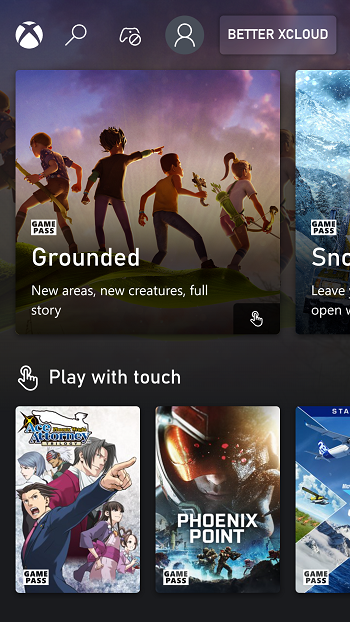
Better xCloud is an Android app built for Xbox cloud gaming. It helps you stream supported Xbox titles on your phone or tablet with more control over how the session looks and feels. The main appeal is simple: it gives mobile players extra tools to make cloud gaming smoother and easier to manage.
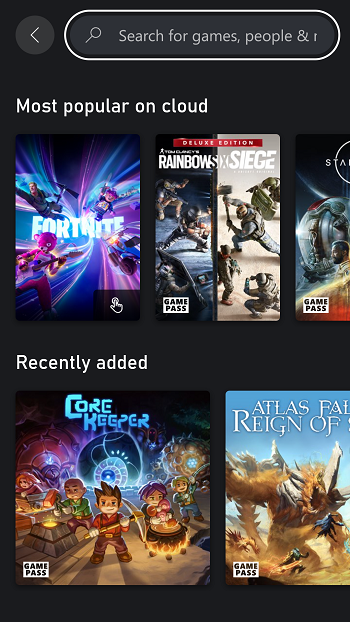
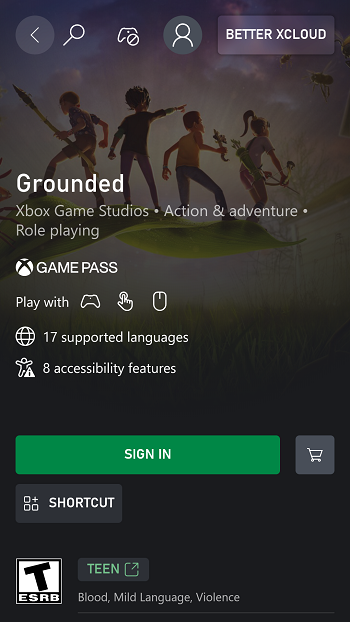
The app is mainly used to access Xbox Cloud Gaming from an Android device in a more flexible way. After signing in, users can launch compatible games, adjust stream settings, and play without needing a console in hand. That makes it useful for quick sessions on the couch, longer play time while traveling, or squeezing in a race, match, or boss fight during a break.
One of its strongest points is streaming control. Better xCloud supports HD playback options and lets users fine-tune the connection based on internet speed. It also includes manual server selection, which can help reduce delay in some regions. If your Wi-Fi acts dramatic for no reason, those settings can make a real difference.
Controls are another big reason people look for this app. It supports external devices such as Bluetooth gamepads, keyboards, mice, and Xbox controllers. There are also built-in touch controls that can be adjusted on screen, which is handy for players who want a layout that feels less cramped and more natural on a phone display.
The app also adds practical extras like live stats, including FPS and resolution details. That kind of information is useful if you want to check performance instead of guessing why a game suddenly feels off. For players who like tweaking settings, it gives a clearer view of what is happening during a session.
Better xCloud fits people who already use Xbox cloud gaming and want more control on Android. It is especially useful for mobile players, controller users, and anyone who switches between devices often. The main limitation is that the whole setup still depends on a stable internet connection and an active Xbox cloud gaming ecosystem, so the app works best for users who already have access to supported services and games.
FAQs Better xCloud
What is Better xCloud APK?
+
Better xCloud APK is an Android app that helps users stream supported Xbox cloud games with extra control over video quality, touch layout, servers, and performance settings.
What is Better xCloud used for?
+
It is used to access Xbox cloud gaming on Android phones and tablets, making it easier to play supported games remotely with custom controls and stream adjustments.
Does Better xCloud support controllers?
+
Yes. Better xCloud supports external controllers such as Bluetooth gamepads, Xbox controllers, keyboards, and mice for players who prefer physical controls.
Can Better xCloud improve cloud gaming performance?
+
It can help users manage performance by offering options like server selection, stream quality adjustment, and live stats, though the final result still depends on internet stability.
Who should use Better xCloud APK?
+
It suits Android users who play through Xbox cloud gaming and want more control over streaming quality, controls, and on-screen setup during mobile play.
Discover More Interesting Apps
-

Bubble Screen Translate
v4.4.7
113.72 Mb
Updated -
Mod
FlixPlayer
v3
33865066
Updated -
Flezen
v1.8.1
48.48 Mb
Updated -
Mod
Multi App
v2.9.6
51.74 Mb
Updated -
Mod
Hibernator
v2.57.0
10.70 Mb
Updated -
Pixel Player
v1.5.0
111.12 Mb
Updated -
Mod
VPN Super Unlimited Proxy
v2.29.3
78.11 Mb
Updated -
TikFinity
v2.5.10
89.63 Mb
Updated -
Mod
Tevi
v3.36.5
206.33 Mb
Updated -
Mod
Turbo VPN
v4.3.0.1
60.00 Mb
Updated





Share Your Thoughts